

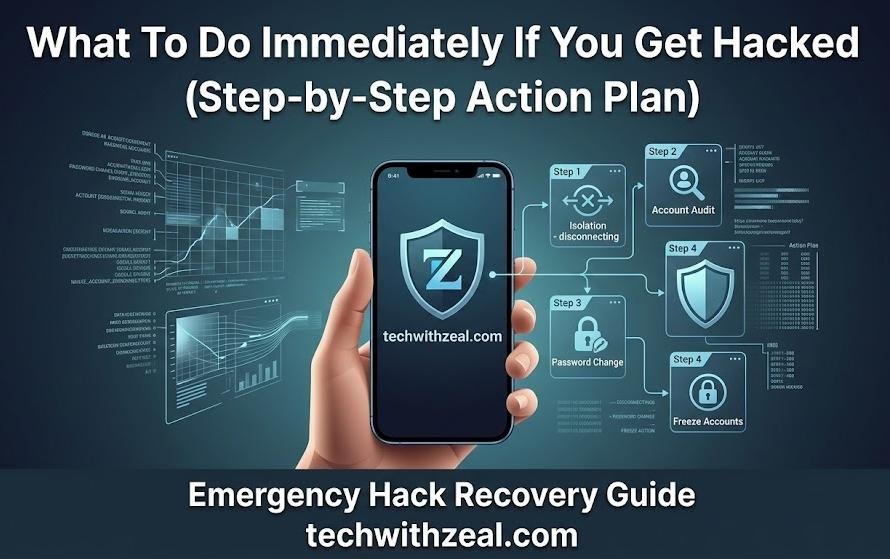
What To Do Immediately If You Get Hacked?
Let me tell you something embarrassing.
Two years ago, I woke up at 6 in the morning to about 14 messages from friends asking me “bhai did you send me this link?” and “why are you promoting some crypto thing?”
I hadn’t sent anything. I was asleep.
By the time I grabbed my phone and tried to log into my Instagram — wrong password. Tried again — wrong password. My stomach just dropped. That sick, panicky feeling where your brain goes completely blank and you don’t know whether to call someone, scream, or just sit there staring at the screen.
I did the worst thing possible. I panicked and started clicking everything randomly trying to get back in. Made things worse.
That morning taught me more about online security than 10 years of being “careful” ever did.
And the one thing I kept thinking was — why did nobody tell me what to actually do in this moment?
So that’s what this post is. The exact step by step action plan I wish I had that morning. Because this happens to ordinary people every single day — not just celebrities or big companies. Regular people with regular phones and regular lives.
Here’s the most important thing I learned: the first 30 minutes after being hacked decide how much damage actually happens.
Follow this plan. Move fast. You can stop this.
Table of Contents
How Do You Know If You Have Been Hacked?
Honestly, the scariest part about my situation was that I almost missed it.
If my friends hadn’t messaged me, I might have gone the whole day not knowing someone was sitting inside my account, reading my DMs, posting things, maybe even messaging people pretending to be me.
A lot of people don’t even realise they’ve been hacked until serious damage is already done. So here are the signs — and please, don’t brush these off as “probably nothing”:
- You can’t log into your own account
- Password reset emails you never asked for
- Unusual activity on your bank or credit card
- Friends getting weird messages from you
- Unknown devices logged into your accounts
- Your social media posting things on its own
- Your antivirus keeps alerting you
When I finally got back into my account that day, I found a device logged in from somewhere in Eastern Europe. They’d been in my account for almost 6 hours before I even woke up.
If even one of these things is happening to you right now — stop reading and start acting. Every minute matters.
Stay Calm — Here Is What NOT To Do First
I already told you what I did wrong — I panicked and started clicking everything.
Within those first ten minutes I had clicked three suspicious links trying to “recover” my account, downloaded something that claimed to be an Instagram recovery tool, and somehow managed to get logged out of my backup email too.
Brilliant, right?
So before I give you the action steps, let me save you from making my mistakes:
- Do NOT panic and start randomly clicking things
- Do NOT ignore it thinking it’ll go away
- Do NOT keep using the hacked account
- Do NOT respond to the hacker
- Do NOT pay any ransom immediately
Take one slow breath. Seriously — just one. Then go through these steps in order.
Immediate Action Plan — First 30 Minutes
This is the section I wish existed when I was sitting in bed at 6am in a cold sweat. Do these steps right now, in this exact order.
Step 1 — Disconnect From the Internet
Turn off your WiFi. Turn off your mobile data. Right now, before anything else.
I know this feels counterintuitive — like, how do I fix this without internet? But think about it this way. If a stranger had walked into your house, the first thing you’d do is lock the door so they can’t bring anyone else in. This is the same thing.
Disconnecting cuts the hacker’s live access to your device. They can’t pull more data, they can’t install anything new, they can’t watch what you’re doing in real time.
It buys you the most valuable thing right now — time.
Even five minutes offline to gather yourself and think clearly is worth it.
Step 2 — Change Your Passwords Immediately
tart with your email. Always email first.
I cannot stress this enough — and I learned it the hard way. Your email is the master key to your entire digital life. Every “forgot my password” button on every website sends a reset link to your email. Whoever controls your email, controls everything.
After email, go in this order:
- Banking and UPI apps (Google Pay, PhonePe, Paytm, your actual bank app)
- Social media accounts
- Work email and tools
Important: If your main phone or laptop feels compromised, use a completely different device. Borrow a friend’s phone. Use a different computer. Don’t change passwords on the device that may already have malware on it — you’d be typing your new password straight into the hacker’s hands.
And please — I know we’re all guilty of this — don’t use the same password you always use. “Rahul@1234” with a capital R is not a strong password. Use something long, random, and different for every account.
Step 3 — Enable Two Factor Authentication
After changing passwords, this is the single most powerful thing you can do.
Two factor authentication means that even if someone has your password, they still can’t get in without a second code — usually from your phone or an app. When I finally set this up after my hack, I genuinely felt like I had a second lock on my front door.
Go into the settings of every important account — email, banking, social media, everything — and turn on 2FA right now.
If you can, use an authenticator app like Google Authenticator or Authy instead of SMS codes. Text messages can sometimes be intercepted. An app generates codes locally on your device and is much harder to hack.
Step 4 — Check Active Sessions and Logged In Devices
This is where you’ll actually see the hacker.
Almost every major platform shows you exactly where your account is currently logged in — which device, which city, which browser. When I checked mine, I saw “Samsung Galaxy, Bucharest, Romania” sitting right there next to my own login from Surat.
Here’s where to check:
- Gmail → Click your profile → Manage your Google Account → Security → Your devices
- Facebook → Settings → Security and Login → Where You’re Logged In
- Instagram → Settings → Login Activity
- WhatsApp → Settings → Linked Devices
See anything unfamiliar? Log it out. Every single one. Don’t hesitate, don’t wonder “maybe that’s my old phone.” If you don’t recognise it, remove it.
Step 5 — Alert Your Bank
The moment you have any reason to think financial information was involved — call your bank. Not later today. Not after lunch. Now.
Use the number on the back of your physical card — not a number you Googled, because fake bank helpline numbers are a real and common scam.
Tell them exactly what happened. Ask them to:
- Watch your account for suspicious transactions
- Freeze your debit or credit card temporarily
- Flag any large or unusual transactions
Most banking apps in India now let you freeze your card with one tap inside the app. I have this turned on as a habit now — freeze it first, then call.
The key thing my bank told me when I called once: “If you report it within the first few hours, we can usually reverse it.” After 48 hours it gets much harder.
Step 6 — Scan Your Device for Malware
Once accounts are secured, turn your attention to the device itself.
Run a full scan using a trusted antivirus tool. The ones I’ve personally used and trust: Malwarebytes (free version works well), Bitdefender, and Kaspersky.
One very important warning — and I nearly made this mistake myself in my panic: do not Google “best antivirus” and download the first result. Fake antivirus software is one of the oldest and most common tricks. You’ll think you’re cleaning your device while actually installing more malware. Stick to well-known, established names only.
What To Do Next — The Next 24 Hours

Okay. You’ve done the hard part. The immediate bleeding has stopped. Now let’s make sure nothing is still leaking quietly in the background.
Check What Was Actually Accessed
This step felt really unsettling for me personally — going through my own account like a crime scene. But it’s necessary.
Go through:
- Sent emails — did the hacker send anything from your account?
- Google Drive or OneDrive — were any files opened, downloaded or shared?
- Connected apps — go to your Google account security settings and look at “Third-party apps with account access.” You’ll probably find apps you forgot you ever gave permission to
- Email rules and filters — this is sneaky. Hackers often set up silent forwarding rules so your emails keep going to them even after you change your password. Check this specifically in Gmail under Settings → See all settings → Filters and Blocked Addresses
When I went through my account after recovering it, I found a forwarding rule I never created, sending copies of all my emails to a random Gmail address. Had I not checked, they would have kept reading my emails for weeks.
Secure Your Email Properly
Even after changing your password, spend five extra minutes checking:
- Recovery email address — has it been quietly changed to one you don’t recognise?
- Recovery phone number — same question. Hackers change these so they can lock you out again later
- Trusted devices — remove anything unfamiliar
This one step would have saved me a second scare I had about a month after the first incident, when I realised the recovery phone number on my email had been changed to a number I didn’t recognise. They had been planning to lock me out again.
Notify People Who May Be Affected
Your friends don’t know what happened. They might have already clicked a link that came from your account — thinking it was genuinely from you.
Reach out as quickly as you can. A simple WhatsApp message saying:
“Hey — my account was hacked recently. If you got any messages or links from me in the last few days, please don’t click them. I’m sorting it out now.”
That message takes 30 seconds to send and could save someone from getting hacked themselves through your account.
If any work accounts were involved — tell your manager or IT team immediately. I know it feels embarrassing. But finding out from a client that your hacked work email was used to send them a phishing link is ten times more embarrassing.
Check HaveIBeenPwned.com
Go to haveibeenpwned.com right now and type in your email address.
This free website checks your email against every known data breach ever recorded. It’ll show you exactly which services leaked your data — and when.
First time I checked, I found my email was in 6 breaches. Six. Services I had forgotten I even had accounts with — an old gaming forum, a shopping site that shut down years ago, an app I used once in college. All of them had leaked my email and password at some point.
This tells you exactly which old passwords need to be changed and which services might be the source of your current problem.
Document Everything
Before you clean up and move on — take screenshots of everything suspicious. Login locations, unknown devices, emails you didn’t send, anything.
Write down dates and times if you can piece them together.
I made the mistake of cleaning everything up immediately without saving any evidence. When I later tried to file a report, I had nothing to show. Screenshots would have made the whole process much easier.
If Your Bank or Financial Account Was Hacked
This is the one situation where I’d say forget the other steps for a moment — call your bank first.
I had a friend — works in IT, actually, so he should have known better — who noticed an unknown transaction of ₹4,800 on his account on a Friday evening. He thought “I’ll deal with it Monday.” By Monday there were eleven more transactions totalling almost ₹60,000.
Call the number on the back of your card. Tell them exactly what happened. Ask specifically for:
- Identification and reversal of all unauthorised transactions
- A new card number to be issued immediately
- A fraud alert placed on the account
- Information on what chargeback protection you’re entitled to
Also check your CIBIL score and credit report — you can do this free once a year. Look for any new loans or credit cards opened in your name that you don’t recognise. Identity theft often involves taking out credit in someone’s name without them knowing.
For serious cases, consider a credit freeze — this stops anyone from opening new credit in your name entirely until you lift it.
Most banks can reverse unauthorised transactions if you report quickly enough. Every hour you wait makes it harder.
If Your Social Media Was Hacked
what to do if your social media was hacked?
Don’t try to be clever and solve this yourself through the normal login page. Use the platform’s official account recovery — these processes exist exactly for this situation.
Here are the direct links:
- Facebook: facebook.com/hacked
- Instagram: help.instagram.com
- Google/Gmail: myaccount.google.com/security
- Twitter/X: twitter.com/account/begin_password_reset
Follow each platform’s process step by step. They’ll verify your identity through a phone number, backup email, or sometimes by asking you to upload an ID. It can feel slow and frustrating — I spent almost 4 hours recovering my Instagram that morning — but it works if you’re patient.
Once you’re back in: change password, enable 2FA, and officially report the hack to the platform. This matters because it helps platforms identify and shut down the hacker’s operations.
Also ask a friend to post a warning on your behalf if you can’t access your account at all yet. Your followers deserve a heads up.
If Your Device Itself Was Hacked
If the problem seems deeper than just one account — if things feel strange about your phone or laptop itself — treat it more seriously.
Run a full malware scan first using Malwarebytes or Bitdefender. Let it run completely, even if it takes an hour.
Then manually go through every app and program installed on your device. Sort by “date installed” and look at anything from the last week or two. Anything you don’t recognise — delete it and revoke all its permissions first.
If the scan finds serious malware that it can’t fully clean, the safest option is a factory reset. I’ve had to do this once. It’s painful, but it gives you a genuinely clean start.
Before you reset — back up your photos, documents and important files to an external hard drive or Google Drive. Don’t back up apps or app data — only personal files you can’t recreate.
After resetting, change all passwords again from scratch. Treat every password your old device ever saw as potentially compromised.
Should You Report It?
Yes. Always.
I know it feels pointless. I thought the same thing the first time. But I reported it anyway, mostly just to have it on record — and a few months later I actually received a follow-up from the cybercrime cell asking for more information because my report had matched a pattern they were tracking.
My one report was part of a bigger picture I didn’t even know about.
In India:
- Report online at cybercrime.gov.in
- National helpline: 1930 (available 24/7)
International options:
- UK: actionfraud.police.uk
- USA: ic3.gov
- Australia: cyber.gov.au/report
Also report directly to whichever platform was hacked — Google, Meta, Twitter all have official reporting channels in their help centres.
If identity theft or significant financial loss is involved — go to your local police station and file an FIR. Keep a printed copy. You may need it when dealing with your bank or insurance.
Reporting helps authorities catch patterns, shut down operations, and protect others. Your report matters more than you think.
Also read : What is Cloud Storage and How Does It Work? A Simple Guide
How To Prevent Getting Hacked Again
After my Instagram hack, I spent about a week genuinely overhauling my entire digital security. Some of these things I should have done years ago.
- Use a password manager
- Turn on 2FA everywhere
- Keep everything updated
- Never click suspicious links
- Use a VPN on public WiFi
- Check HaveIBeenPwned regularly
- Antivirus on your phone too
- Watch what you share publicly
- Audit your connected apps
Quick Emergency Checklist
Save this. Screenshot it. Send it to your family.
- Disconnect from internet immediately — WiFi off, mobile data off
- Change email password first — use a different device if possible
- Change passwords for banking, social media, and work accounts
- Enable 2FA on every important account
- Log out all unknown devices from all accounts
- Call your bank immediately if financial information was involved
- Run a full malware scan on your device
- Check haveibeenpwned.com for breached accounts
- Document and screenshot everything suspicious
- Report to cybercrime authorities — India: 1930 / cybercrime.gov.in
- Warn friends and family not to click recent links from your account
Conclusion
Being hacked is one of the most unsettling feelings I’ve experienced online. That violation of knowing someone was inside your accounts, reading your messages, posting as you — it stays with you.
But here’s what that morning at 6am actually taught me: it’s not about whether it happens. It’s about how fast you respond.
The people who recover quickly are not the ones who are more tech-savvy or more careful than everyone else. They’re simply the ones who knew what steps to take and moved fast.
Change your passwords. Turn on 2FA. Call your bank. Run a scan. Report it. Warn your people.
That’s it. That’s the whole thing.
You absolutely can get through this — thousands of people recover from exactly this situation every single day. Accounts come back. Money gets refunded. Devices get cleaned. And honestly? Most people come out the other side with much better security habits than they had before. I know I did.
Save this post right now — you never know when you’ll need it. And please share it with at least one person you care about. It might be the most useful thing you send them all year.
