

Google Drive’s Hidden Document Scanner. You have been using google drive for years. To store PDFs, collage notes and office documents. But you know Google Drive has a pre-built Document-scanner.
Many people don’t know about this feature. Because it is somewhat hidden within Google Drive. In May 2026 Google gave a big AI upgrade to this scanner, because of it scanning documents is very easy, fast and smart.
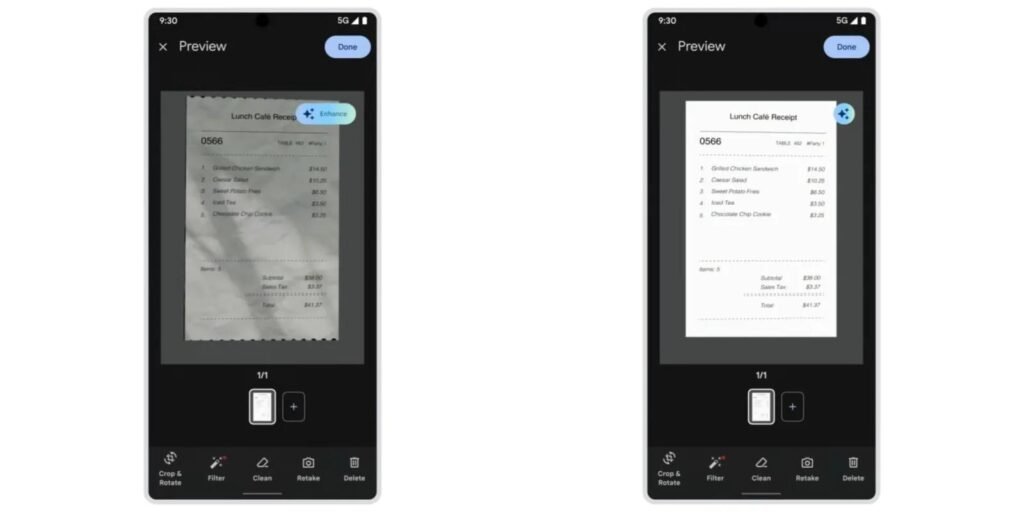
The new AI features automatically detect document borders, align the image properly, and fix lighting and shadow problems. As a result, the scanned file is professional and easy to read.
This update has proved useful for students, freelancers, office employees, and for the person who needs to scan documents daily.
I personally tested this AI scanner. In this article, I’ll explain what’s new, what features genuinely deliver results, and which areas still need improvement.
Table of Contents
What is Google Drive’s Document scanner?
Many people use Google Drive just to store files. But in this a Build-in Document scanner available. With the help of these features you can easily scan smartphone receipts, contracts, government form, class notes, and hand writing notes.
After the scanning document is automatically saved into Google Drive. With that Google’s OCR technology can recognize text in some files, so that after we can easily find.
Auto capture, shadow removal, and white balance correction are available in the previous version, which is useful for simply scanning. But sometimes document borders are identified incorrectly, the text looks somewhat blurry, and overall quality suffers.
Because of that, users use different Scanner Apps. Now Google’s new upgrade tries to resolve the issue.
What just changed — The big AI upgrade
On 29th may 2026, Google introduced a big AI update in its Document Scanner. This update is not just about adding a few new buttons; it is an effort to make the entire scanning experience smarter and faster.
First of all, Google updated the whole interface of the scanner. Now they use Material 3 Expressive Design because of that look more modern, clean and easy to use.
The special thing is this feature only works on phones. That means we don’t need the internet to scan or AI processing on documents. As a result, it incurs privacy and processes fast.
This update introduces three major AI features:
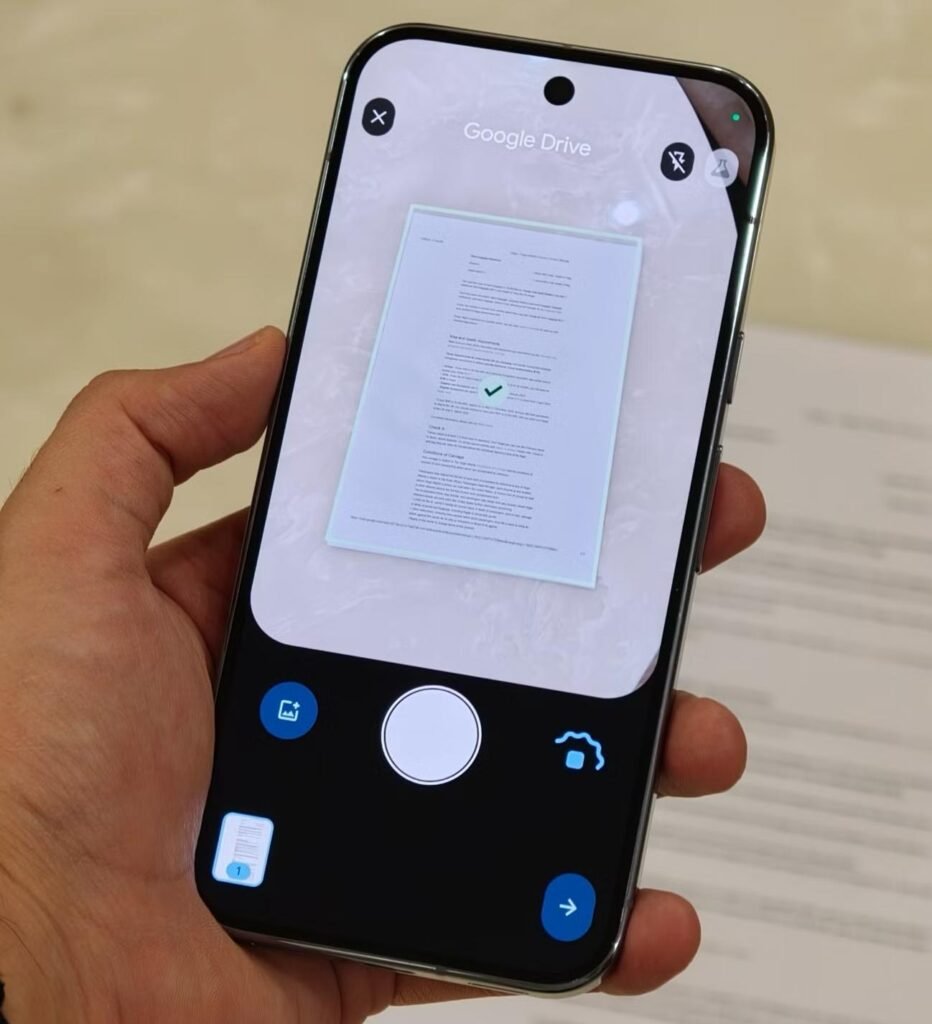
- Smart batch scanning
- Auto-Best frame
- Duplicate Detection
There are many minor improvements in Google’s new AI upgrade. But these three updates can have an impact on daily routing. If you have to make long PDFs then this update is for you.
- Smart batch scanning
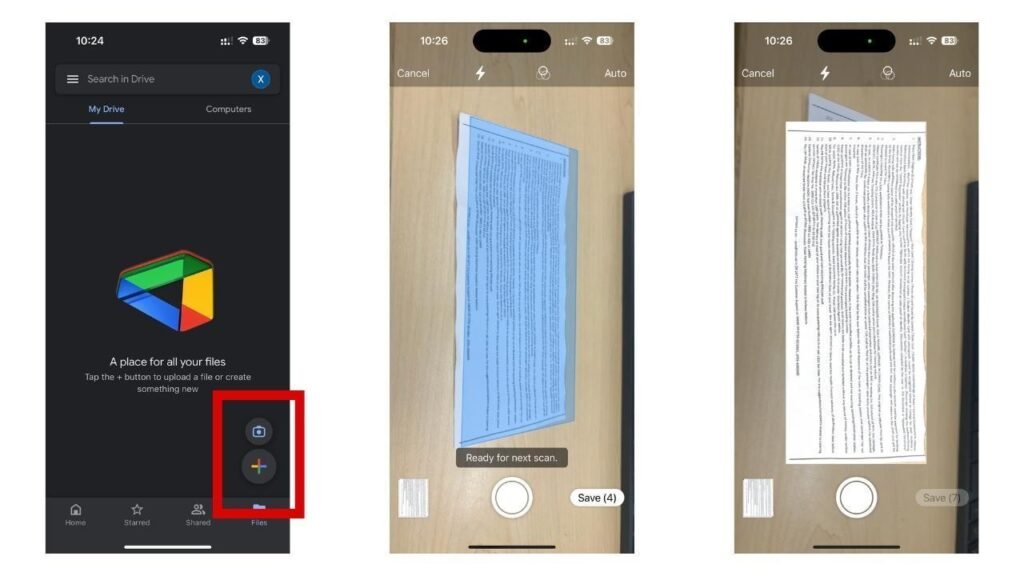
In the previous version after scanning each page we needed to press a button, which is very boring for long documents. Now with smart batch scanning you have to change pages and AI automatically detects new pages and scans them.
This feature proves useful to scan contracts, project reports, or whole books. To be honest, turning the page now takes more effort than scanning it!
- Auto-Best Frame
Sometimes, a slight hand movement or a shift in focus can result in a blurry scan. In such cases, the page often has to be scanned again. Auto-Best Frame helps reduce this problem.
AI chooses clear and sharp images from diff-diff shorts. That’s why all pages don’t need to zoom and check.
- Duplicate detection
It’s normal to scan a page twice when scanning long documents. Especially when you are in a hurry. New Duplicate detection feature is to detect duplicate pages and help to make PDF clean and arranged. And also save our time.
After I read this new update, I thought let’s try this. I scan 4 different documents. And here is some result declaration by features.
- Smart batch scanning: i scan 5 pages document and it took something 15-20 second i just change pages and it automatically captures pages. And it did not miss any pages. It’s too impressive.
- Auto-best Frame: I deliberately scanned some pages with a slightly shaky hand. In most cases, the AI selected a sharper and clearer image. However, if the image is very blurry, you may still have to do a manual retake.
- Duplicate Detection: to use this feature i scanned a page twice and shocking thing is AI really detects that page is duplicate. It is really useful for long documents.
- Offline performance: i also check if it works without wifi? And it works because AI processing works on the phone, and no need for the internet.
From my personal experience it was a big improvement in speed. Compared to the old version, the new version is more smart and reduces manual work. Sometimes border detection is slow and AI is not enough in bad light. And big surprise is now Google Drive scanner is as work as other Scanner apps or better. Now I don’t need to use any other scanner to scan.
Comparison — Google Drive Scanner vs Other Apps
| Feature | Google Drive | Adobe Scan | CamScanner | Microsoft Lens |
|---|---|---|---|---|
| Price | Free | Limited free | Limited free | Free |
| Auto batch scanning | Yes | No | No | No |
| Duplicate detection | Yes | No | No | No |
| On-device AI | Yes | No | No | No |
| Works offline | Yes | No | No | Partial |
| Saves to cloud | Google Drive | Adobe Cloud | Own cloud | OneDrive |
| OCR text recognition | Yes | Yes | Yes | Yes |
| Available on iPhone | No | Yes | Yes | Yes |
In my opinion this Upgrade’s biggest strength is Free AI features, offline support and direct integration with Google Drive. If you already use Google’s Ecosystem then you don’t need to install any other scanner.
Who should use this?
- Students: this feature is too useful for fast convert PDFs of class notes, Assignment, and Question papers.
- Office worker: you can directly save important documents, contracts, and invoices in Google drive.
- Small business owner: this reduces your time and energy to manage daily receipts, Bills and paperworks.
- Freelancer: if you are a freelancer then it helps you to easily manage client agreement, project document, and expanse Receipts.
Not for whom?
- iPhone users: you need to wait, because this upgrade is not available on IPhone.
- Old android phone: Not all AI features are available on every device, so some users may have to wait longer for the update.
Limitations & Things To Know
Let me be straight with you — this scanner isn’t perfect yet.
First, it’s Android only right now. If you’re on an iPhone, you’ll have to wait. No timeline from Google either, which is a bit frustrating.
Second, your phone needs at least 8GB RAM. I tested it on an older 4GB device and the AI features simply didn’t show up. So if you’re rocking an older mid-ranger, you might be out of luck for now.
Third, the rollout is still gradual. My colleague had the same phone as me and didn’t get it for two weeks after I did. Just keep updating your Drive app and checking.
Also, no tablet optimization yet. I tried it on a Tab and honestly it felt like a stretched phone app — usable, but not great.
Some features are still sitting in Workspace Labs, meaning they’re experimental. Don’t be surprised if something works one day and disappears the next.
Conclusion
Honestly? Google Drive’s scanner has come a long way.
A year ago I wouldn’t have recommended it over dedicated apps. But after using this updated version daily for the past few weeks — scanning receipts, contracts, handwritten notes — I’ve genuinely stopped opening Adobe Scan.
Is it perfect? No. The Android-only limitation and the RAM requirement will leave some people behind. But for most Android users with a modern phone, this is now a complete, capable scanning tool that lives right inside an app you already use every day.
My verdict: yes, it’s worth switching. You save storage, skip the extra app, and the AI features actually work as advertised.
Give it a try today — open Google Drive, tap the plus button, and see if the new scanner is waiting for you.
Have you tried the new Google Drive scanner? Drop your experience in the comments below!
FAQ
Is the new scanner available on iPhone?
Not yet. As of now, it’s Android only. iPhone users can still use the basic Drive scanner, but the AI features aren’t there.
Which Android phones support the new AI scanner?
You need at least 8GB RAM. Most flagship and upper mid-range phones from 2022 onwards should work fine.
Do I need the internet to use the new scanner?
For basic scanning, no. But the AI features like auto-renaming and smart suggestions do need an active connection to work properly.
Is Google Drive scanner better than Adobe Scan now?
For everyday use — yes, I’d say so. Adobe Scan still has an edge in heavy professional workflows, but for most people Drive is now good enough to replace it completely.
How do I know if I have the new version?
Open Google Drive, tap the + button, and select Scan. If you see AI suggestions and a cleaner interface, you’ve got it. If not, check for app updates and try again in a few days.
