

Best Laptops for Students in 2026 Either you are going to join college this year or a new semester is about to start and the question is “which laptop should i choose?” If this question is running in your mind then this article is for you.
To be honest, when I started BCA I chose a laptop mainly on budget. I thought like for notes, assignments and simple use of the internet any laptop is fine. But in my second year of college I realised a laptop is not just for making PPTs or watching movies. This was truly tested when I started using the laptop in Programming, Projects, Online Classes, Research, Canva, Multiple Browser Tabs and now for AI tools like Gemini or ChatGPT.
I still remember that during the day of project submission when I use many applications like VS code, chrome, canva, etc the laptop would become too slow. After that I decided that when I buy a laptop I never see only price, I need to see performance.
In 2026, laptops are more of a priority for students. Now AI tools are part of our daily routine. AI helps us for everything if we want to make notes, for research, or also for assignments. So your laptop should be able to run smoothly for the next 3-4 years.
This blog i write as a normal student in this i write my all personal experience for choosing laptop. Which problem I faced while buying a laptop is now faced by many students. If you are also thinking about buying a laptop then this Guide is for you.
Table of Contents
What to Look for in a Student Laptop?

When I buy my laptop I only see the price and processor. But when I started using it I realised we need to see many more things on our laptops.
- The main thing is battery life: my biggest lesson is Battery Life. During the semester mostly I had to carry a charger everywhere. I have to choose those cafes which provide charging points. So I am suggesting you choose a laptop which provides a minimum 10 hour battery backup.
- Balance between performance and portability: My one friend has a Gaming laptop but because of its weight it’s difficult to carry everywhere. In my experience, a lightweight and powerful laptop is the best combination for students.
- Never compromise on RAM or Storage: starting 8GB RAM is enough, but laptop being slow with chrome, VS code, canva and AI tools. In 2026, 16GB RAM and 512GB SSD are basic requirements.
- Display Quality is also important: If you have too much work on a laptop. Like you start any exam preparation from a laptop by online class then you need a good display. Now I understand Full HD IPS Display is best for eyes.
- Build Quality and Weight: we need to carry laptops daily so strong Build and light weight is most important. A lightweight laptop is easier to carry for a long time.
Choosing Based on Your Budget
- Up to ₹50,000: Suitable for basic studies, assignments, and programming.
- ₹50,000 – ₹80,000: The best value range for most students.
- ₹80,000 and above: Ideal for AI, video editing, cybersecurity labs, and heavy projects.
If you’re about to start college and are looking for a laptop, don’t focus only on the brand or how it looks. Based on my experience, a laptop with 16GB RAM, a 512GB SSD, good battery life, and a Full HD display can be one of the best choices for the next 3–4 years.
Best Overall: Apple MacBook Air M4
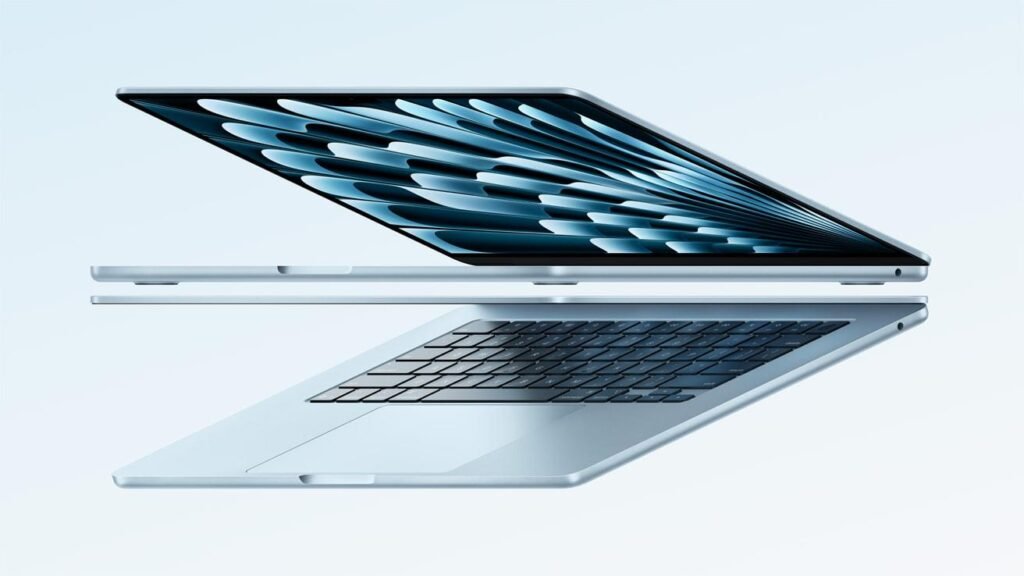
If anyone asks me if there were no issues about budget then which laptop is best. My straight answer is: “Apple MacBook Air M4”‘
Honestly, I also think the MacBook is too costly. But after I saw some of my friends use MacBook Air and their laptops speed, battery, and smooth performance then I know why people are crazy for it.
In my window laptop when chrome, canvas, VS code, and AI tools work together it becomes slow. But my MacBook user friend works the whole day without a charger and still it works smoothly.
The new MacBook Air M4 comes with Apple’s M4 chip, 16GB of unified memory, and up to 18 hours of battery life. The best part is that it is very lightweight, so carrying it in your college bag every day is easy and comfortable.
Yes, it’s out of budget for students. But if your budget is nearby 90,000+ and want to long-term investment, then maybe MacBook Air M4 is 2026’s best safe choice.
If I say in a line “Buy one time, and forget about upgrading during your whole college life.”
Best Windows Pick: Dell XPS 13 (2026) / Asus Zenbook 14 OLED
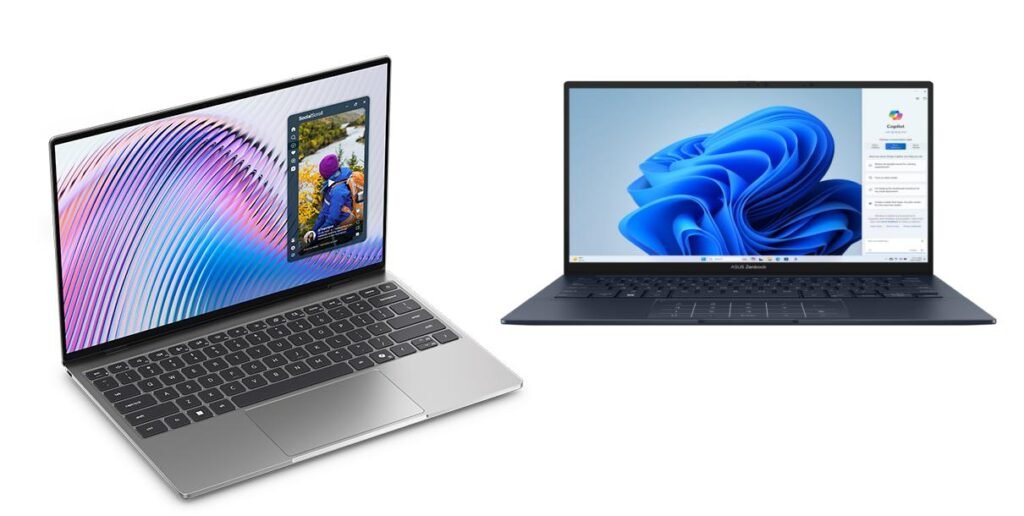
Not every student can afford a MacBook. And truly not everyone needs a MacBook. If you choose a Windows laptop, then the best options are Dell XPS 13 (2026) and Asus Zenbook 14 OLED.
When I find a laptop my first priority is Windows. Because many software, programming tools, and some college applications work smoothly on windows. That time i know only processor is not metter, whole user experience important.
The biggest highlight of the Dell XPS 13 is its Premium Build Quality and Lightweight Design. If you are going to carry it to college every day, this laptop feels very comfortable. On the other hand, the Asus Zenbook 14 OLED is known for its excellent OLED Display. When coding, reading, or creating assignments for long hours, the difference in screen quality can truly be felt.
One of my friends has a Zenbook. And after watching Netflix and YouTube videos on his laptop I feel my laptop screen is a little dull. After that I know a good screen is also better for students, not only content creators. If you Experience on phone screen difference between android and iPhone.
If we are talking about performance, both laptops come with 16GB RAM, fast SSD storage, and new AI-Ready Processors, which is enough for Programming, AI Tools, Canva, Video Editing, and College Projects.
If you want to stay with Windows and are looking for an alternative to MacBook, then my opinion is Dell XPS 13 and Asus Zenbook 14 OLED are the most balanced student laptops in 2026.
Best Budget Option: Acer Aspire / Lenovo IdeaPad Series
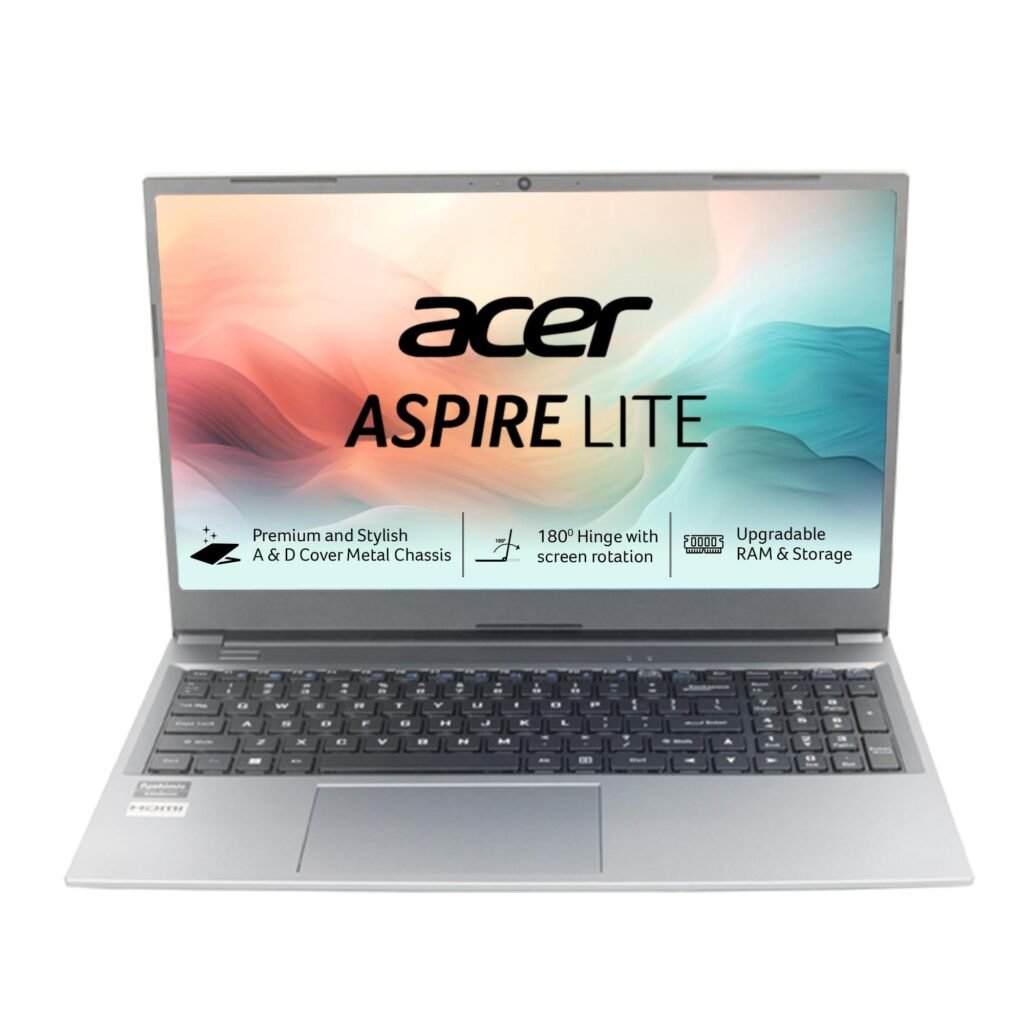
Every student can buy a laptop 80,000 to 1,00,000 is not possible. When I started college my many friends’ budgets were 40,000 to 45,000 for a laptop. But the best thing is we can find good laptops in this budget.
If anyone asks me about laptops under 45000 then I simply suggest to see Acer Aspire or Lenovo IdeaPad Series. This laptop may not give a premium feel but it proves best for daily college work.
My cousin has a Lenovo IdeaPad and for the last 2 years she has used it for Programming, Assignments, Online Classes and Project Work. Yes, it’s not as fast as a macbook, but no need. The main thing is that she does her work comfortably.
In this budget range, you can get features like a Ryzen 5 or Intel Core i5 processor, 8GB to 16GB RAM, and SSD storage, which are sufficient for most students. This configuration can comfortably handle the needs of BCA, BCom, BA, BBA, or the early years of Engineering.
In my experience, when we buy a laptop in budget specification is more important than brand. Many times we buy laptops by logo but after seeing performance feel guilty.
Conclusion
If you read the full blog and are still confused. Then it’s simple advice from my experience “first decide your need and budget and after that choose a laptop.”
If there is no issue about budget then MacBook Air M4 is the best option. If your budget is around 45,000 then Acer Aspire or Lenovo IdeaPad Series is the best option for your college work. Some things are more important than processors like Battery Life, RAM, SSD Storage, Display and Weight.
Especially in 2026, 16GB RAM and 512GB SSD have become a very good choice for college students. If you buy a laptop with low RAM or storage to save some money, you have to think about upgrading it after years.
Before buying a laptop, watch YouTube reviews. Visit a store and check the keyboard and display. If possible, also look for student offers. Many times, you can get a good discount during Back-to-School sales.
In the end, do not think of a laptop as just an expense. Think of it as something useful for your future. For the next 3–4 years, you will use the same laptop for assignments, projects, online classes, AI tools, and maybe even for preparing for your first job.
For me, buying a good laptop was one of the most useful things I bought during my college life. I hope this guide helps you choose the right laptop too.
